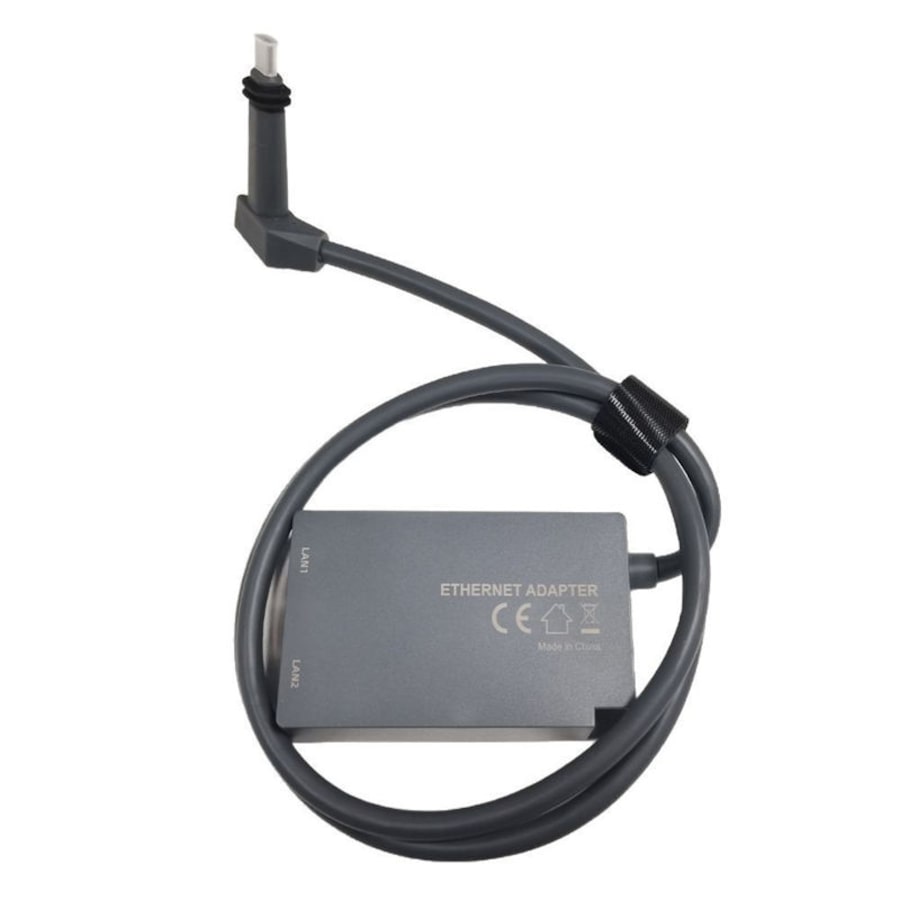
Catzon Ethernet Adapter for V2 Starlink Rectangular Dish and Mesh WiFi Router
92 pts
Collect a minimum of 1x base points- Free shipping on this item
- ETA 30 Apr 2026 - 02 May 2026Estimated time of arrival Thursday 30 Apr 2026 to Saturday 02 May 2026
- Sold and shipped by Catzon
- Size: 1m
Features:
- 1 to 2 Starlink Ethernet Adapter: The 1 to 2 RJ45 Gigabit Ethernet Splitter provides an efficient network expansion solution, easily expanding Starlink to double RJ45 network ports setup. It supports to network two devices simultaneously, which help you overcome the limitations of insufficient Ethernet ports indoor instead of repeatedly plugging and unplugging cables. Whether you are working, gaming, or streaming, enjoy uninterrupted connectivity that enhances your digital life!
- Dual Ports 1000Mbps Lightning Fast & Rock-Solid Stability: Say goodbye to slow and unstable Wi-Fi! With our double ports starlink ethernet adapter featuring the advanced chip, enjoy a stable high-speed connection with a total bandwidth of up to 1000Mbps for double ports. No more worrying about signal delays or disconnections. Ideal for large downloads, online gaming, and video streaming, this device guarantees an optimal online experience, allowing you to stay focused and productive without interruptions.
- Improved Speeds: This ethernet adapter starlink enabled to connect Starlink V2 dish to existing home mesh Wi-Fi system, significantly boosting the speed. And can extend network to previously unreachable areas of your house due to numerous walls. The direct connection to PC significantly improve internet speeds, providing a more reliable and faster network experience throughout your home.
- Easy Installation: Starlink adapter is driver-free. (Installation Way: 1. Turn off the Starlink router by unplugging its AC power cord from the wall outlet. 2. Unplug the Starlink antenna cable from the bottom of the router. 3. Insert the Starlink ethernet adapter v2 into the port on the router where the Starlink antenna cable was previously connected. 4. Connect the Starlink antenna cable to the connector on the starlink adapter ethernet. 5. Power everything back on by plugging the routers AC power cord back into the wall outlet )
- Easy Installation: Starlink adapter is driver-free. (Installation Way: 1. Turn off the Starlink router by unplugging its AC power cord from the wall outlet. 2. Unplug the Starlink antenna cable from the bottom of the router. 3. Insert the Starlink ethernet adapter v2 into the port on the router where the Starlink antenna cable was previously connected. 4. Connect the Starlink antenna cable to the connector on the starlink adapter ethernet. 5. Power everything back on by plugging the routers AC power cord back into the wall outlet )
Packing includes:
- 1 X Starlink Gen 2 Ethernet Adapter
Shipping fees for Everyday Rewards Shop products are determined by our sellers and will be displayed at checkout after you’ve entered your shipping address. However, enjoy free shipping on some select products!
For Everyday Rewards Shop orders, standard shipping policies and estimated delivery times apply based on your location. Please note that we are unable to deliver to PO boxes or parcel lockers.
Please note that express shipping is not available during this time.
This product is sold and shipped by our Everyday Rewards Seller who has provided all relevant product information for this listing. Woolworths Group does not ensure the accuracy or suitability of the information on this page.
RRP: Where an RRP is shown, it refers to the recommended retail price provided by the seller, manufacturer or supplier or is the recently advertised price for the same product on a different online platform. It is not necessarily the price of a product previously offered for sale on Everyday Rewards Shop.
How to stay safe online
For more information on protecting yourself and others from harmful materials, please visit https://www.everyday.com.au/support/how-to-stay-safe-online
See Returns policy for more details.