Download our Everyday Rewards app to continue to shop thousands of items.
Everyday Rewards app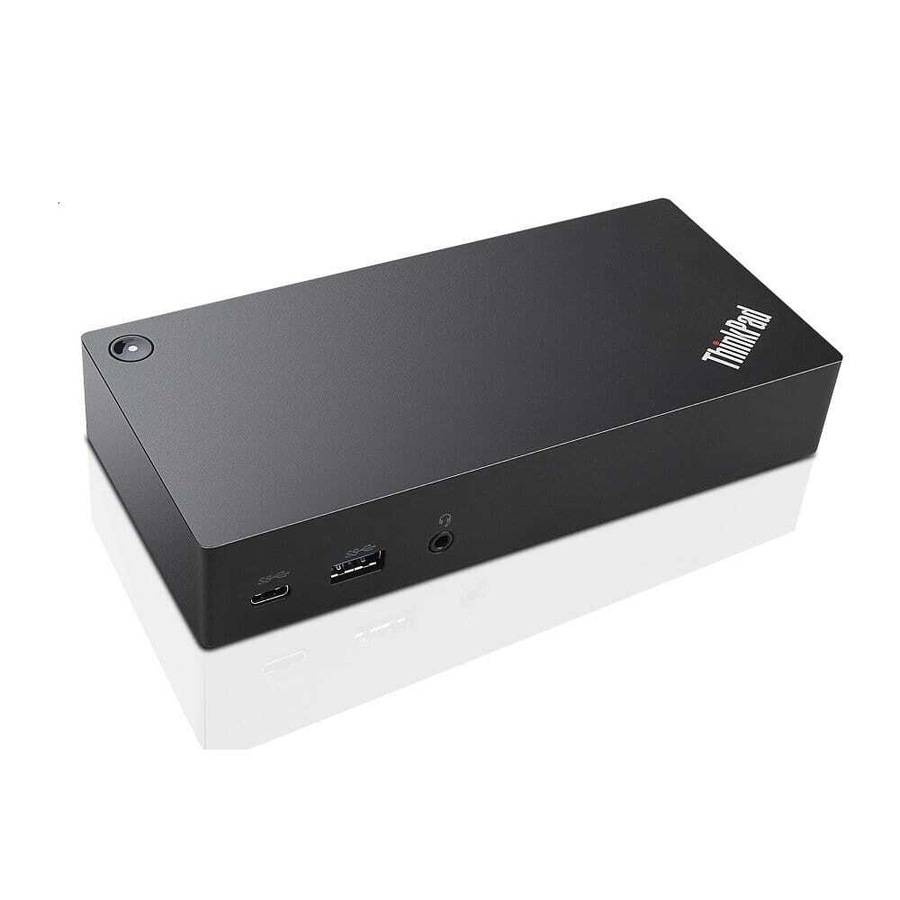
Lenovo ThinkPad USB-C Dock DK1633 Type 40A9 - NEW in Box
0 pts
Collect a minimum of 1x base points- Free shipping on this item
- ETA 30 Apr 2026 - 07 May 2026Estimated time of arrival Thursday 30 Apr 2026 to Thursday 07 May 2026
- Sold and shipped by Australian Computer Traders
Product package includes Thinkpad USB-C Dock, 90W Power Adapter, Power Cord, USB-C Cable.
The ThinkPad USB-C Dock (40A9) is a universal docking solution ensuring a productive workstation. Experience all your productivity needs including video, data, and wired network all while delivering continuous power to your laptop via a robust USB Type-C TM port. Simply connect your laptop or tablet with the dock and boost your productivity in no time. Single UHD display@30Hz or dual FHD displays allows you to enjoy a vivid video experience.
Features and benefits:
- Always Connected via USB Type-C: Connect the ThinkPad USB-C Dock to your laptop or tablet with a single cable and get immediate connectivity to multiple displays, a wired network, your audio device of choice, and all your USB peripherals.
- A Power Hub for Your Desk: Experience up to 60W of stable, reliable, and continuous power for your laptop or tablet ensuring your station is always ready for peak productivity. Apart from charging your notebook or tablet and mobile device charging with 15W and 10.5W from the USB-C port and USB 3.0 always power on port respectively.
- An Unprecedented View: Enjoy a vivid video experience with an Ultra High Definition (UHD - 4K) display or take multi-tasking to a new level two FHD (1080p) displays.
- An Enterprise Flagship: Supports network manageability for your ThinkPad system such as PXE boot, system Wake-On LAN from Sleep mode, Hibernate mode, or Power-off mode, and Pass through ThinkPad notebook MAC address to the dock.
- Complete Control of Your Device: Once your ThinkPad device is connected to the dock, the power button on the dock mirrors the system power button - simply press it to power your system ON or OFF.
- Supported by the Lenovo Dock Manager, an advanced solution that automatically manages docking, as well as providing firmware updates, device queries, and analytics on all Lenovo Smart Docks.
Also, compatible with Lenovo Docking Station Mounting Kit (4XF0S99497)
- Three USB 3.0 (1 provide always-on mobile device charging)
- Two USB 2.0
- One USB-C (Data only, Upstream connector)
- 10/1000 Gigabit Ethernet
- Two DisplayPort
- VGA
- Stereo/Mic Combo Audio Port
- Single 4K @ 3hz
- Maximum Number of Displays: 2
To achieve the better user experience of the display, it is recommended to connect one or two displays on dock:
- DisplayPort output only: 3840 x 2160 pixels (30 Hz)
- VGA output only: 1920 x 1200 pixels (60 Hz)
- DisplayPort and VGA simultaneous output: 1920 x 1080 pixels (60 Hz)
- DisplayPort and DisplayPort simultaneous output: 1920 x 1080 pixels (60 Hz)
Shipping fees for Everyday Rewards Shop products are determined by our sellers and will be displayed at checkout after you’ve entered your shipping address. However, enjoy free shipping on some select products!
For Everyday Rewards Shop orders, standard shipping policies and estimated delivery times apply based on your location. Please note that we are unable to deliver to PO boxes or parcel lockers.
Please note that express shipping is not available during this time.
This product is sold and shipped by our Everyday Rewards Seller who has provided all relevant product information for this listing. Woolworths Group does not ensure the accuracy or suitability of the information on this page.
RRP: Where an RRP is shown, it refers to the recommended retail price provided by the seller, manufacturer or supplier or is the recently advertised price for the same product on a different online platform. It is not necessarily the price of a product previously offered for sale on Everyday Rewards Shop.
How to stay safe online
For more information on protecting yourself and others from harmful materials, please visit https://www.everyday.com.au/support/how-to-stay-safe-online
See Returns policy for more details.